Continuing Education
How to plan a Continuing Education Unit (CEU) Workflow using an LMS

Summary
Planning a CEU (Continuing Education Unit) workflow requires thinking through both the learner experience and the compliance/admin processes. A well-designed CEU workflow automates certification, renewals, and reporting while ensuring your courses meet regulatory requirements.
Key Steps in Planning a CEU Workflow
- Define Your CEU Framework. Determine how many hours = 1 CEU (commonly 10 hours = 1 CEU). Then you can use this framework across your Training Courses and Modules and set the credit hours within an LMS.
- Align with accrediting body (e.g., IACET, OSHA, NASBA, etc.)
Set rules for:
- Course eligibility
- Assessment/pass criteria
- Attendance requirements
- Instructor qualifications
Example: 1 CEU per 10 contact hours; must pass final exam at 80%+; must complete course evaluation
Set renewal reminders (e.g., 11 months after issuance)
Map the Learner Journey
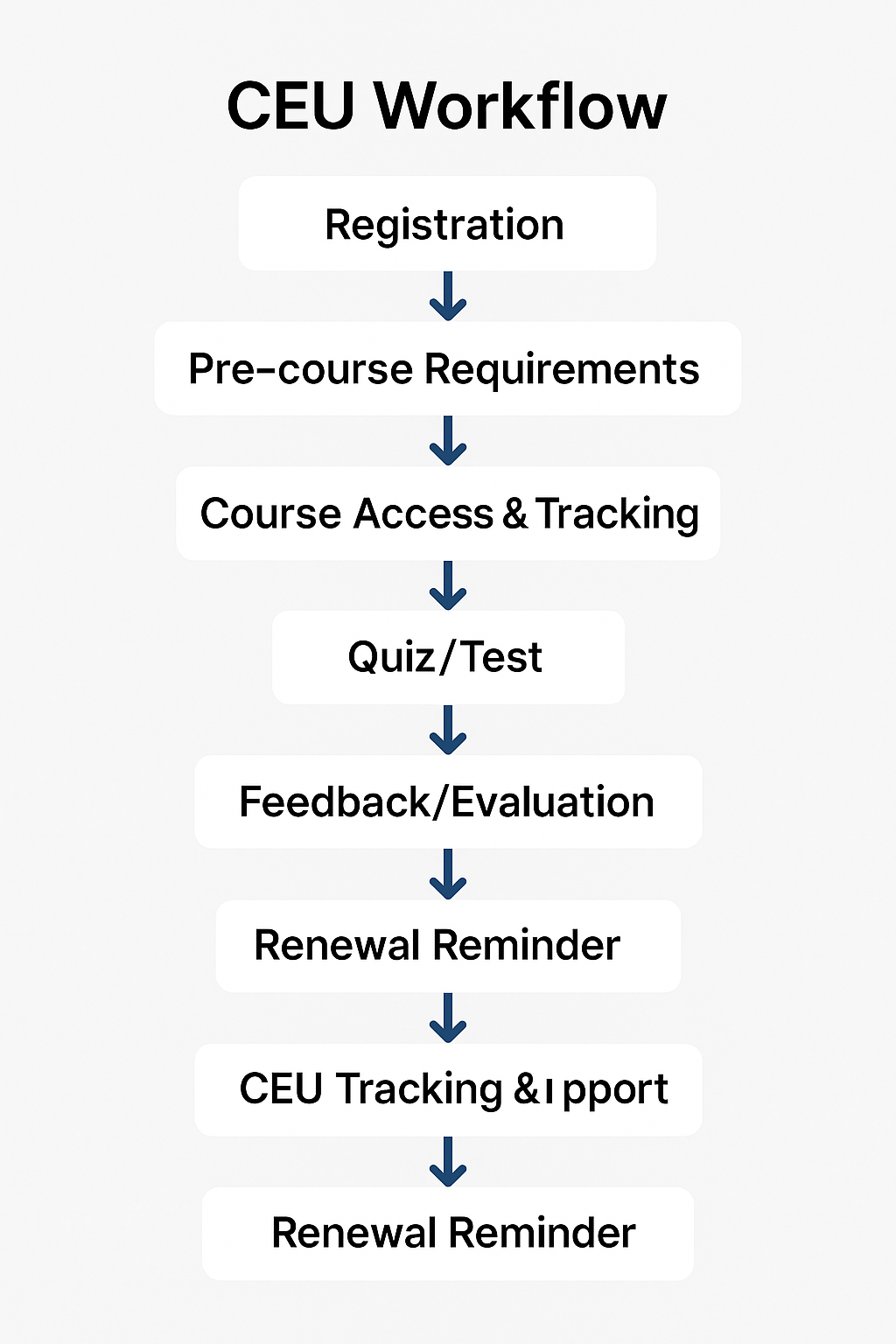
The entire journey of the Learner from registration to completion needs to be mapped. The learner will take the following paths (could be restricted in sequence to complete):
- Registration – via B2B access, self-enrollment, or purchase
- Pre-course requirements – e.g., disclosures or prerequisites
- Course access & tracking
- Quiz/test (if required)
- Surveys/Feedback/evaluation (sometimes required by certifying bodies)
- Certificate issuance
- CEU tracking/reporting
The LMS should have all the functionalities listed above to ensure that the learner journey is mapped correctly and in order for the learner to receive proper CEU credits, they go through the learning journey in the right sequence, fulfilling the right prerequisites, taking courses with the right tracking and rules (e.g. cannot skip a video) and ultimately receiving the Certificate of Completion.
Setup Certification Rules
- Auto-generate certificates upon course completion if the completion criteria is matched (minimum passing score, minimum number of hours spent in the course, completed an evaluation etc)
- The Certificate of Completion should usually include the Learner name, CEU Hours, Completion Date, Unique Certificate ID, Expiration/Renewal Date (if applicable), Accrediting Body Information/Logo, Instructor Name
- The LMS must Store certificates for audit or re-issue access up to a certain number of years and the Learner must be able to self access/download as needed. In many states or regions, the requirements for audit can be up to 7 years in history and the LMS must be able to store and retain the records.
- LMS should have a "Certificate Validator" functionality where an organization/entity verifying the learner certificate can enter the unique Certificate ID and get a confirmation that is a valid CEU Certificate awarded to the same learner.
Plan for Course Expiration & Renewals
Depending on the specific Course and the CEU rules for that specific training and region/accredited body, a Certificate can expire after a few years (as low as 1-2 Years in many cases) and the Learner will need to retake the Course with updated information to renew their CEU credits and potentially a license tied to that training. For example, professionals in healthcare such as Nursing may require renewing their license frequently.
- Set renewal reminders (e.g., 11 months after issuance)
- Allow users to re-enroll or access refresher training
- For B2B clients, allow admin-level views of expiring certifications
Note: Academy of Mine LMS has all these functionalities to offer Continuing Education (CE/CEU) credits in various industries.
Track and Report CEUs
Once the learner successfully completes the course and get a Certification of Completion awarded, the LMS should now be able to process the CEU credits and report them as needed.
- Store CEU credits per user
- Enable exportable CEU logs (for audits or HR compliance)
- Optionally integrate with: Accreditor portals (e.g. CE Broker), HR systems, CRM (e.g., Salesforce)
📌 Tip: Use LMS reports and Webhook/API integrations for real-time tracking.
Support Compliance & Accreditation
- Maintain course content & attendance logs
- Collect learner evaluations (sometimes required)
- Keep audit-ready logs (timestamped completions, assessments)
- Ensure data retention policies match accreditor expectations
Build Admin and Partner Workflows (B2B)
LMS should allow not just B2C but also train B2B so that your own customers that are organizations can see their employees/learner's progress and certificate status.
- Create separate portals/branches for each client
- Let your own customers view learner progress and certification status
- Allow bulk enrollment, progress tracking, and reporting
Automate Email Workflows
LMS should have capability to send emails and notifications in timely manner for various events/triggers such as the following:
- Confirmation emails on enrollment
- Completion congratulations + certificate download
- Renewal notices (e.g., 90/60/30 days before expiration)
- Follow-ups for incomplete learners
Below is a high level flowchart for this entire workflow: